


Radio-controlled wall clocks for the office: accurate to the second with no manual setting required
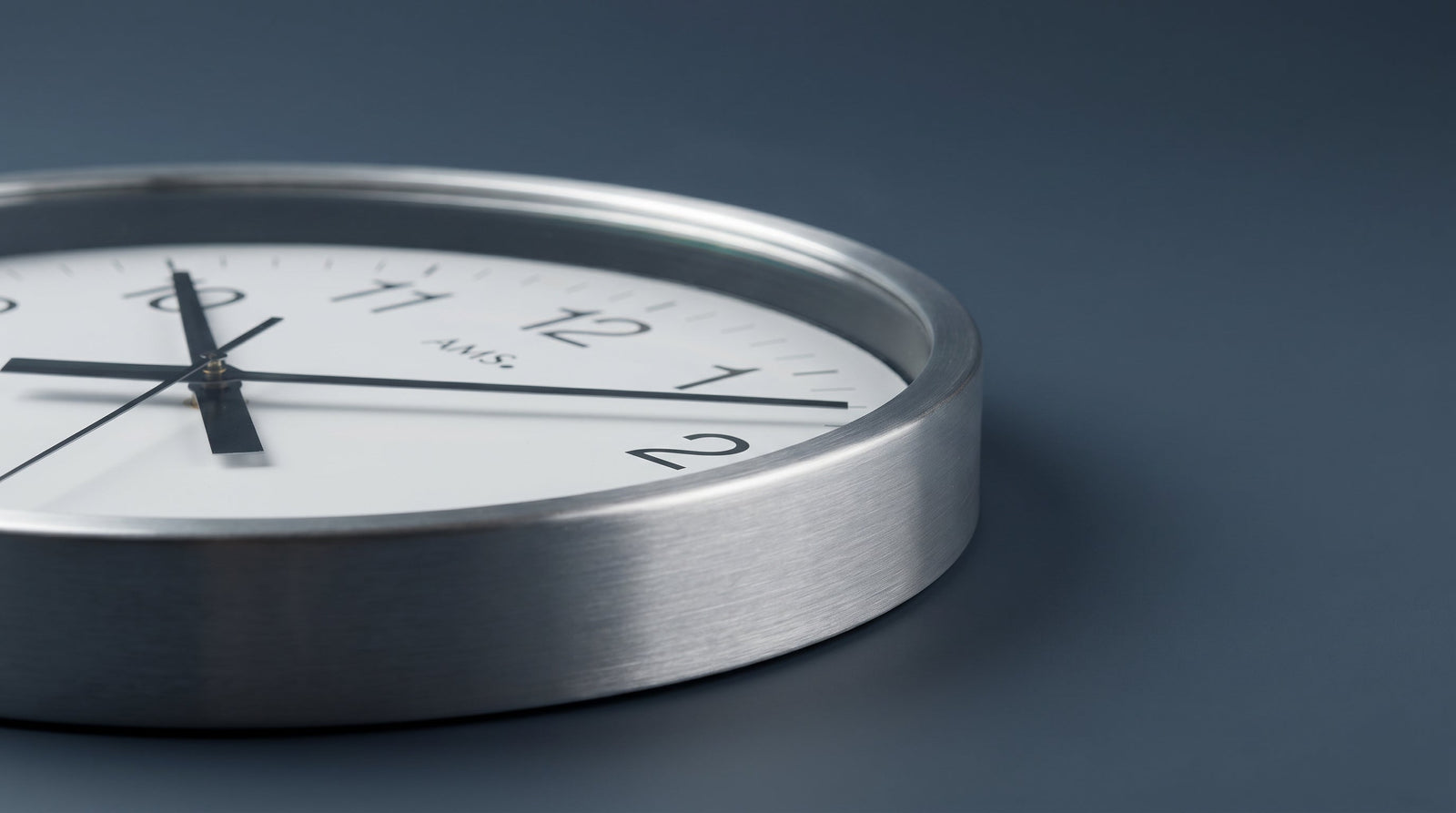

A wall clock in the office that is two minutes slow is not a minor issue: meetings start late, time tracking becomes inaccurate, and anyone checking the time has to mentally adjust it. Anyone who changes their clock for daylight saving time once a year and waits two weeks to do so knows the feeling. Radio-controlled wall clocks solve exactly this problem because they do not derive time from an internal quartz oscillator, but rather receive an external time signal and set themselves automatically.
This article explains how the DCF77 radio signal works, what can influence reception in an office, which case formats are suitable for workspaces, and which models from the uhren4you range are suitable for different requirements. The debate about the European time change and the question of how countries without such changes handle it makes one thing clear: a clock that sets itself is not a luxury feature, but a practical necessity.
What 'radio-controlled' means for wall clocks and how DCF77 works
The term 'radio-controlled' for wall clocks does not refer to Bluetooth or Wi-Fi reception, but to the reception of a long-wave time signal. In Central Europe, this is DCF77: a signal transmitted by the Physikalisch-Technische Bundesanstalt (PTB) in Braunschweig from a transmitter in Mainflingen near Frankfurt. It carries encoded time information that is decoded by a small receiver module in the clock.
DCF77 transmits on 77.5 kHz. The signal contains the year, month, day, day of the week, hour, and minute, including information on whether daylight saving or standard time is in effect. The clock therefore not only sets itself to the correct time but also switches automatically between CET and CEST. Reception is reliable within a radius of approximately 1,500 km around Mainflingen, i.e., in Germany, Austria, Switzerland, the Benelux countries, and large parts of France.
Most radio-controlled clocks receive the signal once an hour or once a day, usually at night when atmospheric interference is low. During the day, the internal quartz movement continues to run and keeps time with quartz accuracy until the next sync event corrects any deviation to zero. Typical quartz movements are accurate to within a few seconds per month, so the daily correction leaves practically invisible differences in everyday office life.
Those who want to delve deeper into movement types will find an overview of all common drive types in the article Clockwork Lexicon: Quartz, Automatic, Manual Wind, and Solar for an overview of all common drive types.
Reception conditions in the office: walls, windows, metal frames
Long-wave signals penetrate masonry well, but not without hindrance. In an office environment, there are typical sources of interference that can complicate or interrupt reception.
Building structure and location
Concrete ceilings with steel reinforcement dampen the signal more than wooden beam ceilings. Basement offices or rooms without exterior windows often have poorer reception conditions than rooms on upper floors with window fronts. High-rise buildings with curtain-wall metal facades or aluminum composite panels can further weaken the signal.
Electrical sources of interference
Computer power supplies, monitors, LED lights, and switching power supplies generate broadband electromagnetic fields in the low-frequency range that can interfere with the DCF77 receiver. The rule of thumb: the further the clock hangs from dense clusters of devices, the more stable the reception. A distance of at least one meter from PC clusters or server racks is recommended.
Orientation of the receiver
The receiving ferrite inside the clock is direction-sensitive. In clocks with a round case, the antenna is usually aligned along a specific axis. Manufacturers sometimes mark the optimal orientation with a small symbol or an indication in the manual: the receiver should point perpendicular to the direction of Mainflingen (i.e., in Germany, mostly east-west orientation of the case axis). With round cases, this can be adjusted by a slight horizontal rotation on the mount.
| Source of interference | Effect on DCF77 | Countermeasure |
|---|---|---|
| Reinforced concrete ceilings | Signal attenuation, longer sync intervals | Choose a location near an exterior wall, prefer window areas |
| PC clusters and monitors | Interference in the low-frequency band | Maintain a minimum distance of 1 meter |
| LED ballasts | Broadband interference, irregular reception failures | Do not mount the clock directly under fluorescent lights |
| Metal frame facades | Shielding of the long-wave signal | Interior space instead of near exterior walls, check reception at night |
Case formats and dial readability for the workspace
In the office, the wall clock is read from different distances: from the desk, from the conference table, or while walking by. The dial must therefore be readable at greater distances than a table clock.
Diameter and reading distance
As a guide: from a diameter of about 30 cm, a clock is easy to read from five to six meters away if the dial design is right. For larger rooms or conference rooms with a room depth of more than eight meters, formats of 40 cm and up are sensible. XXL versions from 60 cm in diameter are intended for spacious reception areas or open-plan offices.
Contrast and dial design
Arabic numerals in bold black on a white background achieve the greatest readability. Dials without numerals, with delicate indices, or with little contrast between the background and the hands are less suitable for the office. Mineral glass dampens reflections less than anti-reflective acrylic glass; this can be a factor in unfavorable window lighting.


Silent or ticking: volume in the office environment
The sound of a wall clock is not a minor point in the office. A second hand that jumps in individual steps creates an audible ticking sound with every step. In quiet private offices or meeting rooms, this can be distracting.
Sweeping second hand
Clocks with a sweeping or silent second hand move it in a smooth, quiet flow instead of in individual steps. The clockwork runs at a significantly higher step frequency, making the movement appear almost continuous. This variant is the first choice for offices with low ambient noise.
Jumping second hand
Clocks with a jumping second hand produce a clicking sound with every second step. In open-plan offices with normal background noise, this is hardly noticeable. In quiet private offices or conference rooms, it can be distracting.
Some models are equipped without a second hand, which eliminates the noise problem from the start.
| Hand technology | Noise | Suitable for |
|---|---|---|
| Sweeping second hand | Very quiet to inaudible | Private and conference offices |
| Jumping second hand | Audible, rhythmic | Open-plan offices, reception areas |
| No second hand | No noise | All office environments |

Brand and model overview: AMS and other providers in the range
The uhren4you range features radio-controlled wall clocks primarily from AMS, Atlanta, and other specialists in large clocks. AMS is a German brand with a long tradition in the segment of analog quartz and radio-controlled wall clocks; Atlanta is also an established provider in the German-speaking region. A detailed overview of the AMS collection is provided in the article AMS wall clocks: German large clock tradition at a glance.
AMS
AMS offers radio-controlled wall clocks in a wide range of sizes, from compact 30 cm models to XXL formats with a 60 cm diameter. Metal and aluminum cases are common in this segment. The dials are often kept clear with Arabic numerals and high contrast, which is advantageous for office operations.
Atlanta
Atlanta positions itself in the mid-price segment with solid metal cases and silent movements. The models are predominantly round, in the diameter range of 28 to 32 cm, and are therefore designed for standard office rooms.
JVD and other providers
JVD from the Czech Republic produces radio-controlled wall clocks in simple plastic cases that are in the entry-level price range and are suitable for offices where function takes precedence over representation. The plastic case is lighter and easier to mount than metal versions.
| Brand | Typical case | Diameter range | Price range |
|---|---|---|---|
| AMS | Metal, aluminum | 30-60 cm | Mid to high |
| Atlanta | Metal | 28-32 cm | Mid |
| JVD | Plastic | 30-35 cm | Entry-level |
| GER-Technik | Stainless steel | 30 cm | High |
Hanging and aligning for optimal reception
The position of the clock on the wall affects not only readability but also reception quality. An incorrectly chosen position can lead to the clock synchronizing only rarely or not at all and remaining permanently in internal quartz mode.
Mounting height
For offices, a mounting height of 1.80 to 2.20 meters above the floor is recommended. This corresponds to eye level when standing and also allows a comfortable line of sight from a seated position. Clocks mounted too high, from 2.50 meters upwards, are difficult to read in low-ceilinged offices.
Wall selection and cable routing
Exterior walls are more favorable for radio-controlled clocks than interior walls because the DCF77 signal arrives from the outside and has to penetrate less masonry. Battery-operated radio-controlled clocks do not require cable routing, which makes mounting options significantly more flexible. Mains-powered models, on the other hand, are tied to the location of the power outlet.
Distance to sources of interference
The clock should be at least one meter away from computer monitors, routers, and printers. A distance of two meters from server cabinets or UPS systems is advisable.
Detailed information on mounting height and wall selection for all clock types can be found in the article Hanging a wall clock correctly: height, distance, and wall in view.
Purchase checklist: radio-controlled wall clock for the office
- Check diameter against reading distance: 30 cm for up to 6 meters, 45 cm and up for larger rooms.
- Ensure high contrast on the dial: black on white is the easiest to read.
- Choose a silent movement if the room is quiet or used as a meeting room.
- Check mounting location: near an exterior wall, distance from electrical devices, no dense metal structures nearby.
- Match case material to room style: aluminum or stainless steel for modern offices, painted metal for classic interiors.
- Battery compartment or mains operation: battery provides more flexibility for the mounting location.
- Check reception at night: if the clock shows the correct time in the morning, the signal synchronized during the night.


